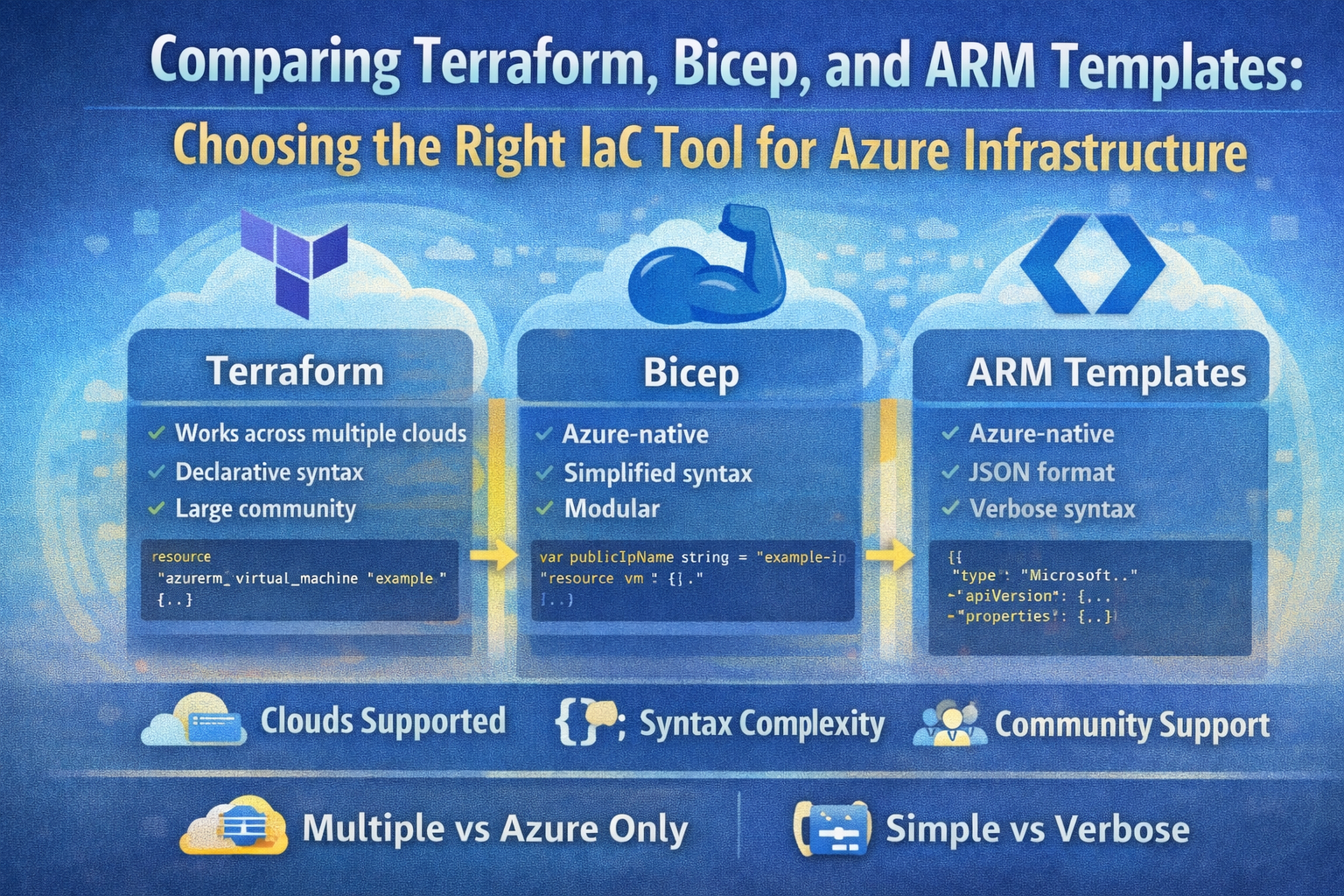
Comparing Terraform, Bicep, and ARM Templates: Choosing the Right IaC Tool for Azure Infrastructure
Infrastructure-as-Code (IaC) has revolutionized how DevOps teams deploy and manage cloud environments. By defining infrastructure declaratively through code, teams can automate deployments, enforce consistency, and achieve scale with repeatable processes. When it comes to Microsoft Azure, three prominent IaC tools dominate the landscape: Terraform, Bicep, and ARM templates. Understanding their core differences, strengths, and ideal use cases is essential for intermediate to advanced professionals aiming to optimize their cloud infrastructure management.
Introduction to Terraform, Bicep, and ARM Templates
- Terraform: An open-source, cloud-agnostic IaC tool developed by HashiCorp. It supports multiple cloud platforms and on-premises environments through a plugin-based provider model.
- Bicep: A domain-specific language (DSL) designed specifically for Azure, providing a more concise and readable syntax compared to ARM JSON templates.
- ARM Templates: Azure Resource Manager (ARM) templates are native JSON files that define Azure resource configuration. They are the underlying format that Bicep compiles to.
While ARM templates are the foundation, Bicep offers an improved authoring experience, and Terraform provides cross-cloud flexibility.
1. State Management and Backend Storage
Terraform manages infrastructure state explicitly. It maintains a state file (usually terraform.tfstate) that maps your configuration to real-world resources, enabling accurate drift detection and efficient incremental updates. This state file can be stored locally or remotely (e.g., Azure Storage, Terraform Cloud) for collaboration and backup. Proper security and backup of state files are critical to prevent configuration drift or data loss.
# Terraform Azure backend configuration example
terraform {
  backend "azurerm" {
    resource_group_name  = "tfstate-rg"
    storage_account_name = "tfstatestorage"
    container_name       = "tfstate"
    key                  = "prod.terraform.tfstate"
  }
}
Bicep and ARM templates, by contrast, are declarative and stateless. They rely on Azure Resource Manager’s incremental deployment model, which compares the desired state defined in the template against the current Azure resource state and applies only necessary changes. As a result, no separate state file is maintained by Bicep.
Best Practice: When managing complex, multi-cloud environments or requiring stateful drift detection, Terraform’s state management offers advantages. For Azure-centric deployments favoring simplicity, Bicep’s stateless model integrates seamlessly with Azure’s native deployment engine.
2. Multi-Cloud vs Azure-Specific Targeting
Terraform shines in multi-cloud and hybrid-cloud scenarios. Thanks to its extensive provider ecosystem, you can manage Azure, AWS, GCP, on-premises virtualization, and even SaaS resources within a single configuration.
provider "azurerm" {
  features {}
}

provider "aws" {
  region = "us-west-2"
}

resource "azurerm_resource_group" "example" {
  name     = "rg-example"
  location = "East US"
}

resource "aws_s3_bucket" "example" {
  bucket = "my-unique-bucket-name"
  acl    = "private"
}
Bicep, however, is Azure-specific and is not designed to manage resources outside of Azure. It provides deep integration with Azure services but lacks multi-cloud capabilities.
When to choose:
- Use Terraform if your infrastructure spans multiple clouds or on-premises systems.
- Use Bicep for Azure-only deployments requiring native experience and features.
3. Command-Line Interface (CLI) and Tooling
Bicep CLI and Azure CLI Integration
Bicep integrates tightly with Azure CLI. You can install, build, and deploy Bicep files using commands like:
az bicep install
az bicep build --file main.bicep
az deployment group create --resource-group myRG --template-file main.bicep
This integration simplifies workflows, especially in Azure DevOps and scripting environments.
Terraform CLI
Terraform provides a comprehensive CLI to plan, apply, validate, and destroy infrastructure:
terraform init
terraform plan
terraform apply
terraform destroy
Terraform also supports formatting and validation commands to maintain code quality.
CI/CD Integration
Both tools support automation with GitHub Actions and Azure Pipelines. Bicep benefits from native Azure Pipeline tasks, while Terraform requires installing extensions like the Azure Pipelines Terraform Tasks.
Pro tip: Embed linting and validation steps in your pipelines to catch errors early.
4. Deployment Processing and Efficiency
Bicep deployments are processed directly by Azure Resource Manager, which allows preflight policy checks and region-specific optimizations. This server-side processing reduces client overhead and leverages Azure’s native capabilities.
Terraform processes plans locally using its HCL language and state files, determining changes before making API calls. This client-side planning enables detailed previews but adds overhead for large infrastructures.
Example: To deploy a Bicep template with Azure CLI:
az deployment group create --resource-group myRG --template-file main.bicep
Terraform plan and apply workflow:
terraform plan
terraform apply
Both approaches allow you to preview changes ahead of deployment but differ in where processing occurs.
5. Authentication and Security
Bicep relies on Azure authentication tokens provided during deployment, typically handled via Azure CLI login or managed identities. It checks permissions at deployment time via Azure Resource Manager.
Terraform supports multiple authentication mechanisms, including:
- Azure CLI credentials
- Service principals
- Managed identities
Terraform can use multiple provider credentials within the same configuration, enabling complex scenarios.
Example of authenticating Terraform with a service principal:
export ARM_CLIENT_ID="<client-id>"
export ARM_CLIENT_SECRET="<client-secret>"
export ARM_SUBSCRIPTION_ID="<subscription-id>"
export ARM_TENANT_ID="<tenant-id>"
Best Practice: Use managed identities in production environments to reduce credential management overhead.
6. Azure Policy and Governance Integration
Bicep supports preflight policy validation, enabling deployments to fail early if resources violate Azure Policy rules. Moreover, Bicep templates can embed remediation ARM templates to automatically fix non-compliant resources.
Terraform, on the other hand, will fail deployments only after an attempt has been made, without preflight checks.
Example: Using Bicep, you can validate policy compliance before applying changes, reducing failed deployments.
Tip: Integrate Azure Policy with your IaC pipelines to enforce governance consistently.
7. Azure Portal Integration
A significant advantage of Bicep and ARM templates is the seamless integration with the Azure Portal:
- You can export ARM templates directly from the portal to capture existing resource configurations.
- These templates can be decompiled into Bicep files for further customization.
Terraform lacks native portal export support, but Microsoft provides Azure Export for Terraform — an open-source tool to convert existing Azure resources into Terraform configurations.
Use case: For teams migrating existing Azure workloads to IaC, starting with portal exports and Bicep may be more straightforward.
8. Handling Out-of-Band Changes
Out-of-band changes are manual updates made directly in the portal or via other tools that aren’t reflected in your IaC code.
- Bicep: Since it doesn’t maintain state, deployments simply reconcile the current desired state with Azure’s actual state, and out-of-band changes do not block deployments but should be updated in code to prevent overwriting.
- Terraform: Out-of-band changes require importing the updated resources into the Terraform state using
terraform importand updating HCL files accordingly to avoid overwriting.
Recommendation: Minimize out-of-band changes when using Terraform and establish strict policies to track manual interventions.
9. Cloud Adoption Framework and Landing Zones
Azure’s Cloud Adoption Framework (CAF) recommends structured landing zones for scalable, secure cloud environments.
- Bicep simplifies landing zone deployments through portal experiences and ARM-based templates.
- Terraform offers Enterprise-Scale Landing Zones modules to deploy and manage scalable cloud environments.
Choosing between them depends on your team’s expertise and environment complexity.
Practical Example: Deploying an Azure Storage Account
Bicep Example
param storageAccountName string = 'mystorageacct${uniqueString(resourceGroup().id)}'
param location string = resourceGroup().location

resource storageAccount 'Microsoft.Storage/storageAccounts@2021-04-01' = {
  name: storageAccountName
  location: location
  sku: {
    name: 'Standard_LRS'
  }
  kind: 'StorageV2'
  properties: {
    accessTier: 'Hot'
  }
}
Deploy with:
az deployment group create --resource-group myRG --template-file main.bicep
Terraform Example
provider "azurerm" {
  features {}
}

resource "azurerm_resource_group" "rg" {
  name     = "terraform-rg"
  location = "East US"
}

resource "azurerm_storage_account" "storage" {
  name                     = "tfstorageacct${random_id.unique.hex}"
  resource_group_name      = azurerm_resource_group.rg.name
  location                 = azurerm_resource_group.rg.location
  account_tier             = "Standard"
  account_replication_type = "LRS"
  access_tier              = "Hot"
}

resource "random_id" "unique" {
  byte_length = 4
}
Initialize and apply:
terraform init
terraform apply
Conclusion
Both Terraform and Bicep are powerful IaC tools for managing Azure infrastructure, each with its distinct advantages:
- Terraform excels in multi-cloud flexibility, explicit state management, and a broad provider ecosystem.
- Bicep offers a streamlined Azure-native experience, deeper portal integration, and simplified deployments without managing state files.
Your choice should align with your organization’s cloud strategy, environment complexity, and operational preferences. For Azure-centric projects prioritizing native tooling and portal integration, Bicep is an excellent fit. For multi-cloud or hybrid environments requiring granular state management, Terraform remains the go-to tool.
By understanding these tools’ strengths and integrating best practices such as CI/CD pipelines, policy compliance, and change management, you can build resilient, scalable, and secure Azure infrastructure that accelerates your cloud adoption journey.
Additional Resources
- Terraform on Azure Documentation
- Bicep Documentation
- Azure Resource Manager Templates
- Azure Export for Terraform GitHub Repo
- Azure Cloud Adoption Framework
Author: Joseph Perez